
What do Figma’s updates mean for Design Systems?
A shift towards token-first and AI-assisted systems

Figma releases updates at a pace that feels pretty overwhelming. A new feature drops, you learn about the feature, then integrate it into your workflow. But soon after, more features are released and your workflow feels outdated again…like it’s an endless enhancement cycle.
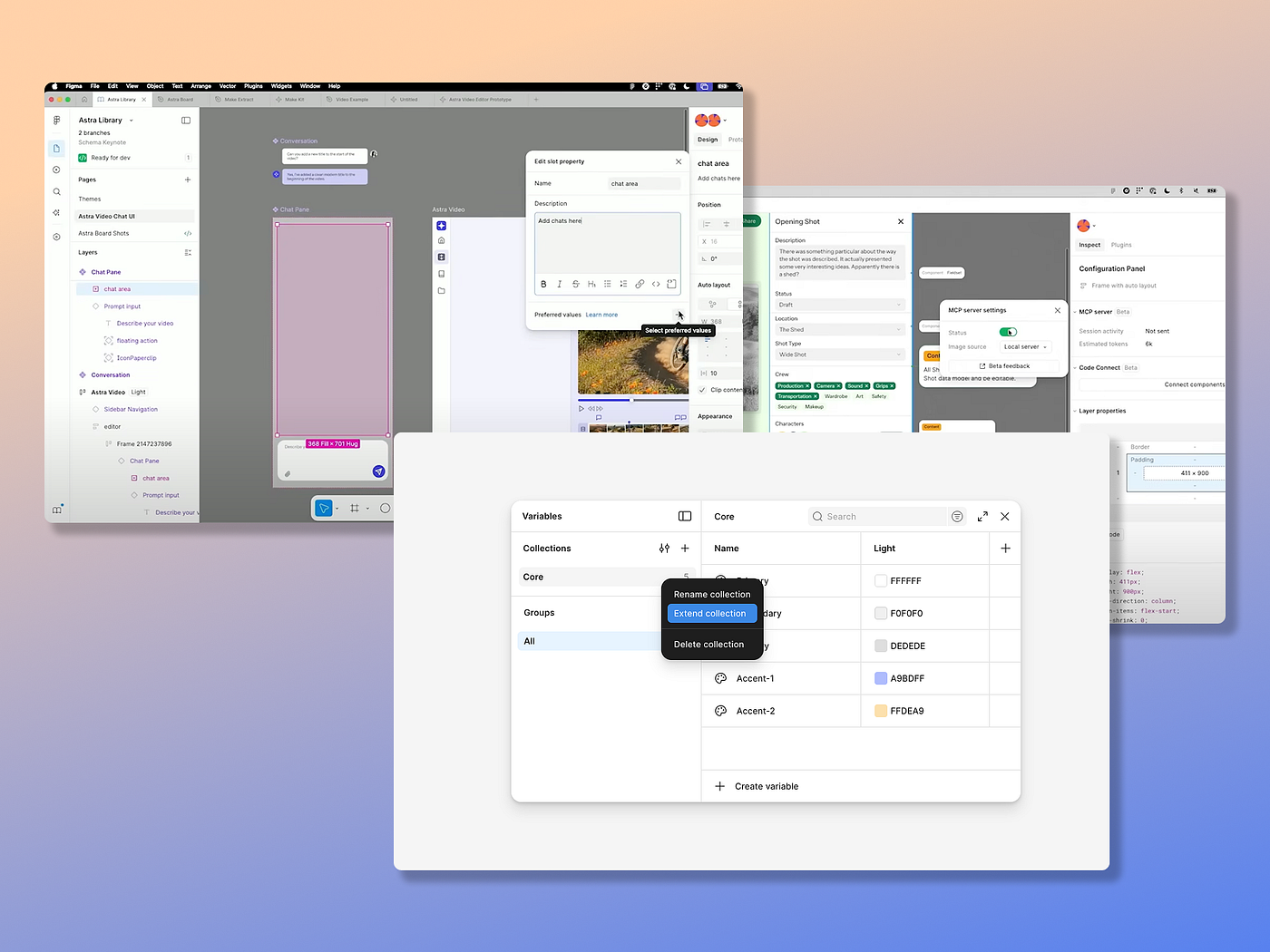
But Figma’s last few rounds of updates focus on a token-first, structured, and AI-assisted workflow. Instead of circling around convenience features or quality of life updates, Figma is reshaping how Design System teams think about variables, code alignment, and how AI can expedite the process.
So which features should you focus on and what does each update actually mean for Design Systems?
Variables
Variables have been at the forefront in supporting token-first systems. Figma recognized the common use case of multi-brand Design Systems, and its latest updates makes variables even more scalable.
Extended collections
With extended collections, Design System teams can support multiple brands/ products that require their own custom theme, while keeping variables in sync with the core system.
Increase in mode limits per plan
Professional: 10 modes per collection (up from 4)
Organization: 20 modes per collection (up from 4)
Enterprise: Unlimited modes with extended collections (up from 40)
Import and export as JSON
Figma must have noticed many plugins were created to allow designers to import and export variables, like the Export/Import Variables plugin, because now they’ve introduced a built-in feature to serve this purpose.
Component slots
Slots offer greater component flexibility without detaching. Slots are placeholder containers inside components that let designers edit and customize content within an instance. Instead of relying on the Design System team to create product-specific components and increase library complexity, designers can insert the layer themselves.
Figma MCP (model context protocol) server
Figma’s MCP allows AI tools, like Claude or Cursor, to access information from your Figma files. The MCP creates shared context between design and code, and enables AI to generate component code, tokens, and even documentation straight from your Design System.
Read more of “What do Figma’s updates mean for Design Systems?” ➡️
What do you think?
Have you used Figma’ new updates? Have they benefitted your Design System?
The MCP integration is interesting because it forces a conversation about whether design systems should be code-first or design-first. Teams that lean too hard into AI-generated code from Figma might bypass the manual translation layer where devs actually understand the design intent. That handoff friction might be annoying but it's also where a lot of good decisions get made.